Reinstall a Product
Note: The license key/redemption code you received by email is not a Native Instruments serial number. Since our libraries aren’t encoded for the Kontakt Player, you don’t need to authorize them in Native Access.
How to Reinstall a Product
It's possible to reinstall a product (or any updated product) through your Pulse account.
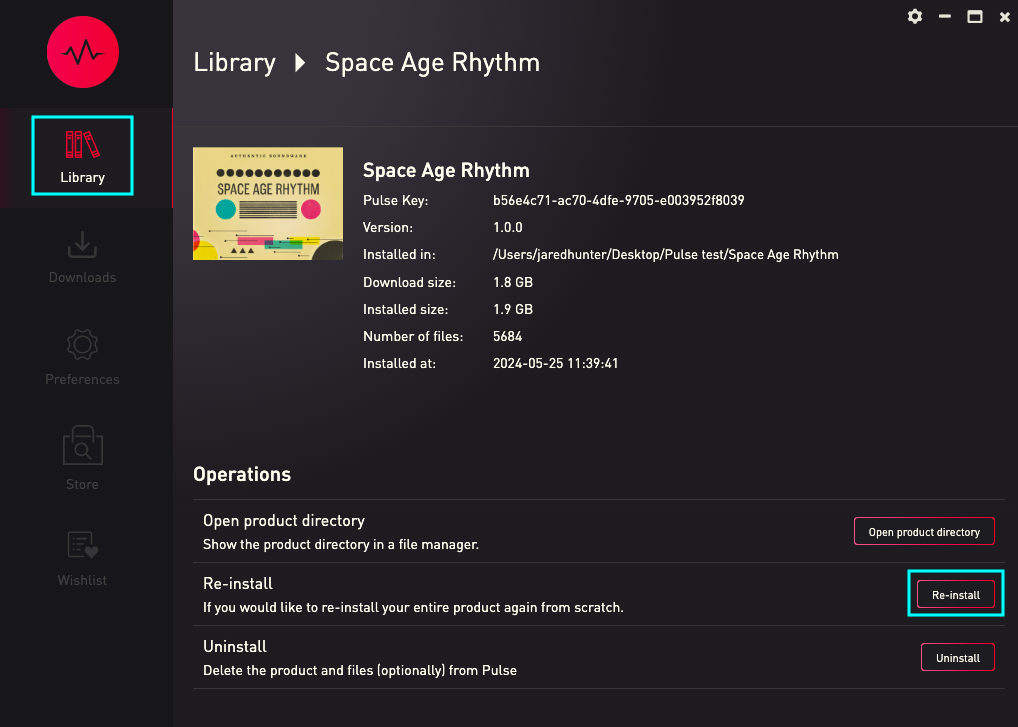
Open the Pulse app and click on the thumbnail image of the product you'd like to reinstall. From the product detail page, click Re-install and follow the prompts.
You may download your product up to ten times. For additional downloads, please contact us.
If you need more help, please don't hesitate to contact us!