Missing Content or Samples Not Loading
Unsupported Hard Drive Formats
As of late 2025, the number one issue causing missing content errors for our users running macOS is the installation of libraries on new hard drives that have been formatted using a case-sensitive format.
All Native Instruments products, including Kontakt, do not support case-sensitive hard drive formats.
Here is a link to the NI support article discussing this issue and how to use Apple's Disk Utility to identify the format of your hard drive.
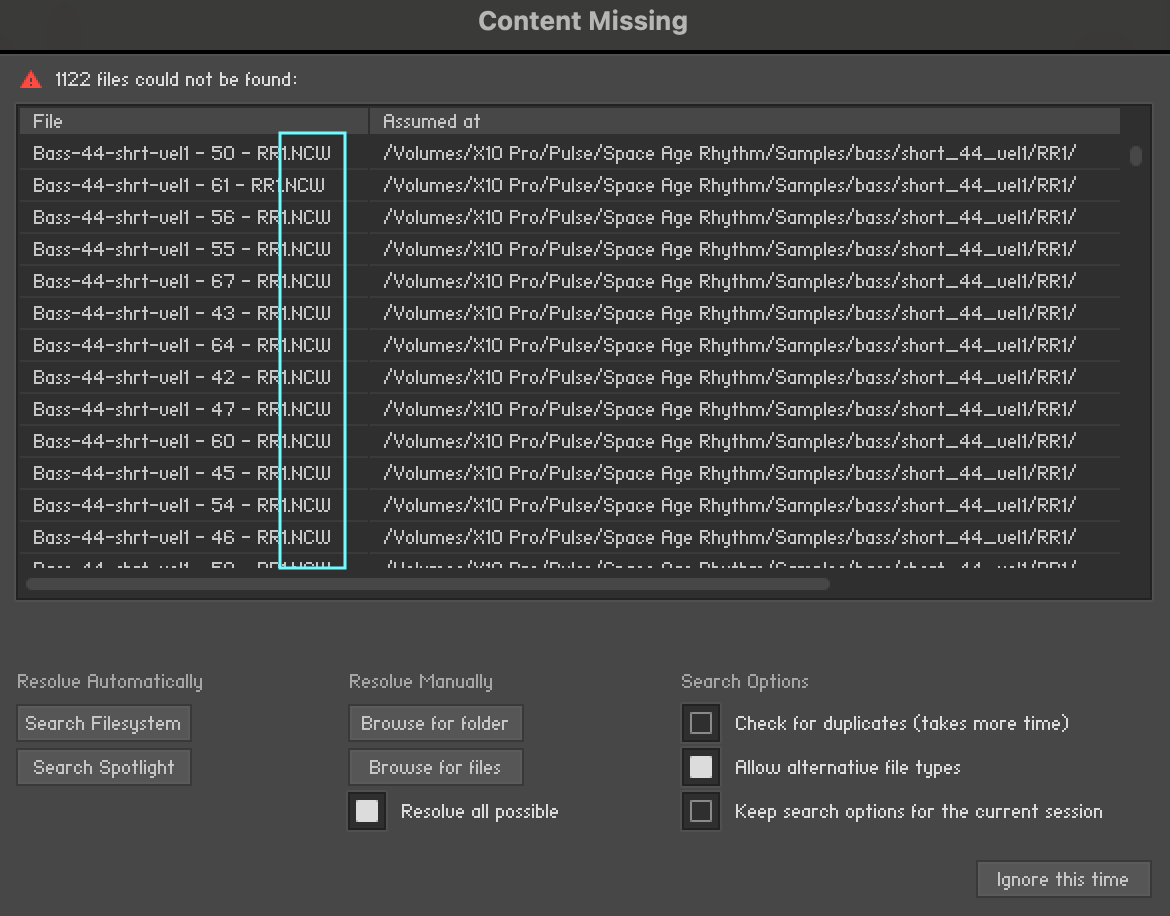
One clue that case-sensitive formatting is the issue is when the file extension for the missing samples is displayed as .NCW (upper case). The file extension in most cases is actually .ncw (lower case).
How to Resolve
If you determine that the library is installed on a drive that is indeed a case-sensitive format, try copying the library's folder to a hard drive that uses the Apple File System (APFS) format and see if the issue resolves. (Your system drive is usually that format, so you could just temporarily copy it to the desktop to test things.)
If the library loads properly, re-installing from Pulse to a drive that uses a supported format should resolve the issue.
If you need more help, please don't hesitate to contact us!